
April Fools Day passes, and the jokes, fake headlines, and playful misinformation fade away.
Scammers, however, never take the day off.
Spring is prime time for cybercriminals. Not because employees are careless, but because teams are busy, moving quickly, and juggling more than usual. That's when convincing scams slip past attention, blending into a normal workday until the damage is done.
Below are three scams that are active right now. They aren't designed to fool the reckless — they're built to catch smart, hardworking people who are simply trying to keep up.
As you read, ask yourself one key question: Would everyone on my team slow down enough to spot each one?
Scam #1: The Toll Road or Parking Fee Text
An employee gets a message like this:
"You have an unpaid toll balance of $6.99. Pay within 12 hours to avoid late fees."
It mentions a real toll brand — E-ZPass, SunPass, FasTrak — whichever one fits the recipient's location. The amount is small enough to seem harmless. The employee is between meetings, taps the link, pays, and moves on.
But the site was fake.
In 2024, the FBI received more than 60,000 complaints about fraudulent toll texts, and the volume reportedly surged 900% in 2025. Researchers have also uncovered more than 60,000 counterfeit domains created to mimic state toll systems — a clear sign this scam is operating at serious scale. Some messages have even reached people in states that don't have toll roads at all.
Why does it work so well? Because $6 feels insignificant, and most people have recently driven through a toll area or parked in a city, so the request feels believable at a glance.
The best defense is a simple policy: legitimate toll agencies do not require instant payment through text. Smart organizations make it clear that payments never happen through text-message links. If something might be real, employees should go directly to the official website or app. They should never reply — not even with "STOP" — because any response confirms the number is active and can invite more attacks.
Convenience is the trap. Process is the protection.
Scam #2: "Your File Is Ready"
This one fits neatly into the flow of everyday work.
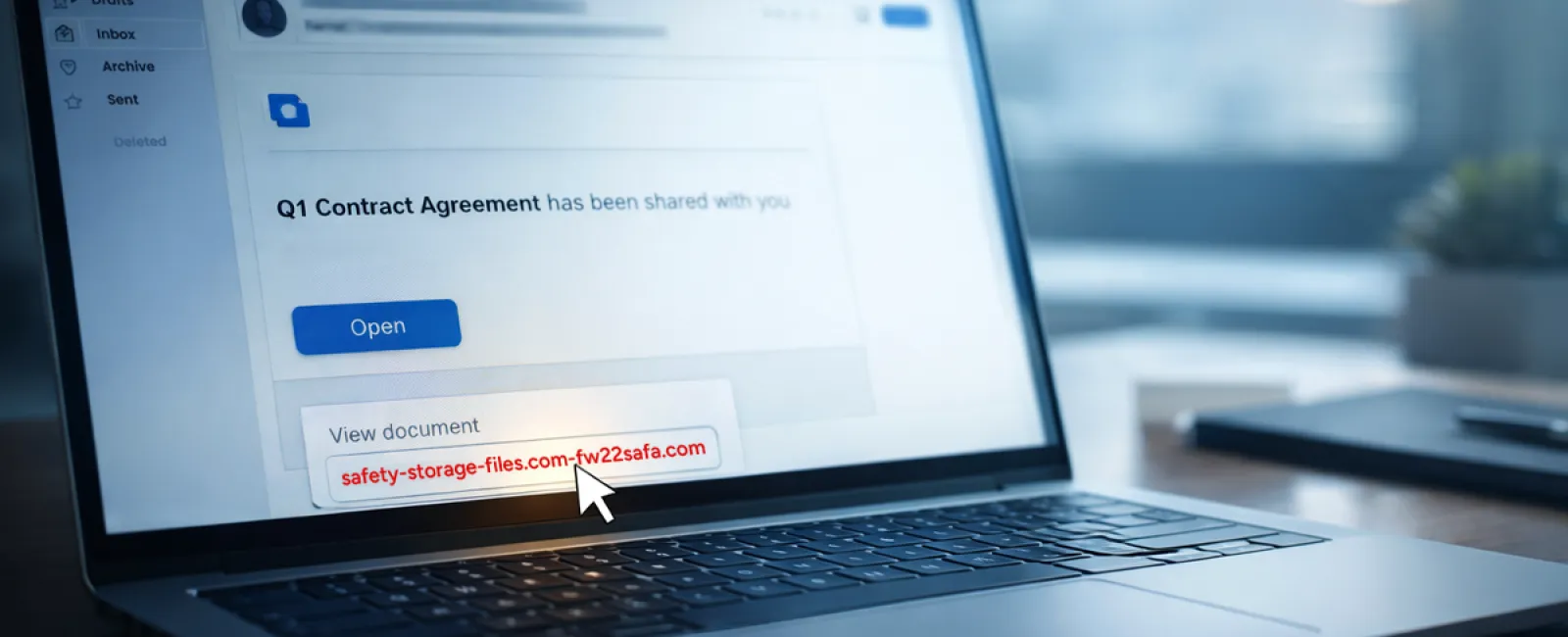
An employee gets an email saying a file has been shared with them. It looks routine — maybe a DocuSign contract, a OneDrive spreadsheet, or a Google Drive document.
The sender name seems familiar. The layout looks exactly like every other file-share notification they've seen.
They click. A login screen appears. They enter their work credentials.
Now the attacker has them, and if those credentials were tied to a work account, the intruder may already be inside the company's cloud environment.
This attack method has grown rapidly. According to KnowBe4's Threat Labs, phishing campaigns using trusted platforms such as Google Drive, DocuSign, Microsoft, and Salesforce increased 67% in 2025. Google Slides-based phishing links alone jumped more than 200% during a recent six-month span.
Even more concerning, employees are seven times more likely to click a malicious OneDrive or SharePoint link than a random phishing email because the notification looks identical to the real thing.
The latest versions are even harder to detect. Attackers create files inside compromised accounts and use the platform's own sharing tools to trigger the notification. That means the message can come from Google's or Microsoft's legitimate servers. Since the email is technically valid, spam filters often let it pass.
The best defense: If a shared file wasn't expected, employees should not click the link in the email. Instead, they should open a browser and sign in to the platform directly. If the file is legitimate, it will be there. Businesses can also lower risk by limiting external sharing and turning on alerts for unusual login activity — both settings your IT team can usually configure in about 15 minutes.
A simple habit. A strong payoff.
Scam #3: The Email That Sounds Too Professional
There was a time when phishing emails were easy to spot. Bad grammar, awkward formatting, and obvious nonsense made them stand out.
That time is gone.
A 2025 academic study found that AI-written phishing emails earned a 54% click rate, compared with just 12% for human-written messages. That's more than four times as effective. The reason is simple: these emails no longer look like scams. They reference real companies, real job titles, and real workflows pulled from LinkedIn and company websites in seconds.
The newest tactic is department-specific targeting. HR and payroll teams receive fake employee verification requests. Finance receives vendor payment change requests. In one recent test, 72% of employees interacted with a vendor impersonation email — 90% higher than other phishing attempts. The tone is calm, polished, and urgent without being theatrical. It reads like a normal Tuesday morning inbox.
The best defense: Any request involving credentials, payment changes, or sensitive data should be confirmed through a second channel — a phone call, chat message, or even a quick walk down the hall. Before clicking any link, employees should hover over the sender address to verify the actual domain. And if an email creates urgency, that urgency should itself be treated as the warning sign.
Good security doesn't rely on panic.
What It All Comes Down To
Every one of these scams depends on familiarity, authority, timing, and the hope that someone will think, "This will only take a second."
That's why the real issue isn't careless employees. It's systems that assume people will always slow down, verify, and make the perfect decision under pressure.
If one rushed click can disrupt your business, that's not a people problem — it's a process problem.
And process problems can be fixed.
That's Where We Come In
Most business owners don't want to turn cybersecurity into another major project or become the person who has to police every click.
They just want confidence that their business isn't quietly exposed.
If you're worried about what your team may be facing — or you know another business owner who should be — we're ready to talk.
Schedule a straightforward discovery call and we'll cover:
•
The risks businesses like yours are encountering right now
•
Where threats tend to slip in during normal day-to-day work
•
Practical ways to reduce exposure without slowing your team down
No pressure. No scare tactics. Just a chance to identify vulnerabilities and explore the right next steps.
Click here or give us a call at 801-356-9333 to schedule your free 15-Minute Discovery Call.
If this isn't relevant to you, feel free to forward it to someone who would appreciate the warning. Sometimes a little awareness is all it takes to turn a "would have clicked" into a "nice try."